
Live wallpaper app for Mac
夕焼けyūyakeyoo-YAH-keh
Make your Mac feel like yours.
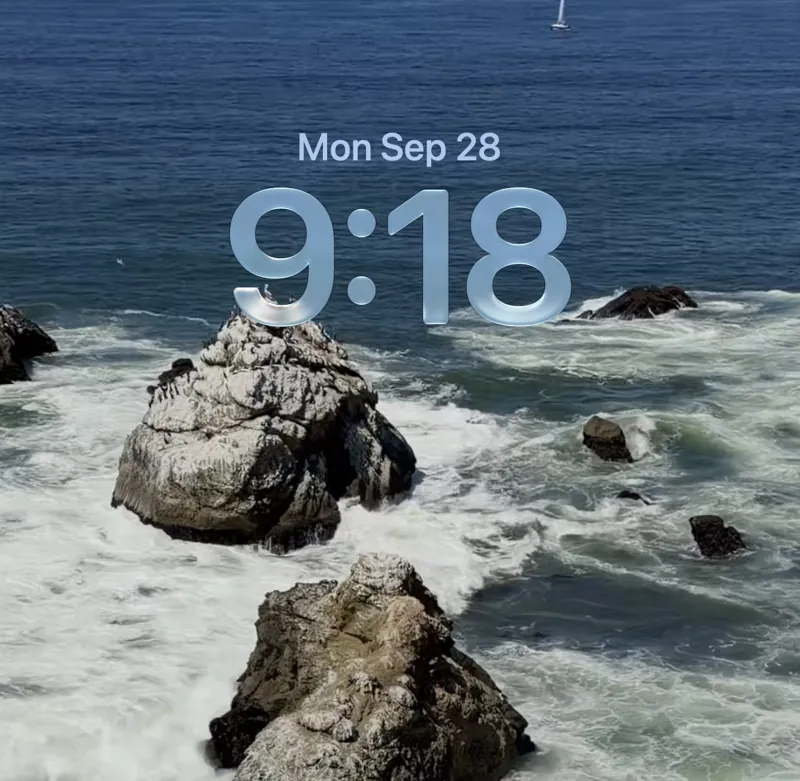
Stock wallpaper is a beige sofa. Yuyake puts a living scene behind your icons. Your clips, your photos, no account.
Yuyake runs on macOS only, and you are on Windows. For Windows, there is Panelith.
Yuyake runs on macOS only, and you are on Linux. For Windows, there is Panelith.
Yuyake is for a Mac computers, so it cannot be installed on a phone or tablet. Open this page on your Mac to download it.
- Free during early access
- macOS 14 or later
- 5.8 MB
- Signed and notarized by Apple
Try it
Try Yuyake without installing it.
Pick a scene, send it to your desktop or lock screen, and move the clock to see schedules and Auto take over.
The real Yuyake also has your own videos and photos, more than one display, lock screen video, and a weekly Discover library.
Four things to try
- Pick a scene in Discover. The mood buttons narrow the list. It goes straight onto the screen above.
- Under Use this scene on, choose Desktop, Lock screen, or Both.
- Use Your desktop and Lock screen above the window to see where it landed.
- Open Schedule or Auto, then drag the clock to see the scene change through the day.
Compatibility
Which Macs
Yuyake is built for macOS 14 (Sonoma) or later, on Apple Silicon and Intel Macs.
Desktop video works on macOS 14 or later. Lock screen video is beta on macOS 14 and 15, and built for macOS 26 and later.
| macOS | Status | Detail |
|---|---|---|
| macOS 14 and 15 | Lock screen video: beta | Lock screen video is available, but it has not been verified on these versions and may not always show up. |
| macOS 26 and later | Lock screen video: built for this | Lock screen video was built for this release. |
So far, lock screen setup and recovery have been checked on macOS 27.0, on one Mac with one display.
Still being verified: lock screen video on macOS 14, 15, and 26, and behavior with several displays. This page changes as each one is checked.
Download
Get Yuyake.
A small disk image. No email asked for first.
Yuyake is a native macOS app that plays live video behind your desktop icons and, in beta, on the lock screen. It uses a built-in library of free Pexels clips or your own videos and photos, needs macOS 14 or later, requires no account, and is free during early access.
Install
Grab the DMG
One file. It lands in Downloads and does not ask for an email first.
Drag to Applications
Open the disk image and drag Yuyake to Applications.
Open the app
Double-click it in Applications. It's signed and notarized, so it opens normally. If macOS still asks, right-click it and choose Open once.
Full Disk Access (for lock screen)
Open System Settings, then Privacy & Security, then Full Disk Access, and turn it on for the app. Skip this if you only want the desktop.
You get
- Desktop and lock screen video
- Weekly picks and mood-based Discover
- Default wallpaper and timed schedules
- Import your own videos and photos
- Collections, rotation, and Auto mode
- Free during early access
You need
- Apple Silicon or Intel Mac
- macOS 14 (Sonoma) or later
- Full Disk Access for lock screen video
- A few megabytes to install
By installing, you agree to the license. What the app connects to is listed on the Yuyake privacy page. Library clips come from Pexels, which allows free use but is not copyright-free.
Guides for Yuyake
Questions
Straight answers
Is it free?
Free during early access. If that changes, existing downloaders will hear about it first. Early access includes desktop and lock-screen video plus your own imports.
Does it work with two screens?
On the desktop, yes: each display can follow your scene or keep one of its own, and you can switch Yuyake off on any screen in Settings. That is covered by tests but has not yet been tried on a second real display. Lock screen video plays one clip on every display.
Can I use my own photos?
Yes. Choose 2–100 image files with Apple's file picker, set the time per photo, and Yuyake builds the slideshow locally without uploading your media.
Do I need an account?
No. Download, install, use. Lock screen video needs Full Disk Access. Location, for weather, is optional and stays off until you turn it on.
What macOS version?
Sonoma 14 or newer. Lock screen video was built for macOS 26 and is labeled beta on macOS 14 and 15, where it may not always show up. The Compatibility section above lists what has been checked.
Where does my stuff go?
Preferences use macOS UserDefaults. Imported videos are stored in the app's folder under ~/Library/Application Support. Yuyake does not upload your personal media. See the Privacy page for what the website logs and the optional network features.
What does it connect to?
Update checks (GitHub), the Discover library (a small proxy, then Pexels), any video link you paste to import, and, only if you turn on weather or sunrise and sunset schedules, a weather service and Apple's location service for your location. Your own videos and photos are never sent anywhere. The Privacy page has the full list.
What's next
Still not sure?
Ask a person. A real one reads every message.